Leica Significantly Updates SL3 and Q3 Series’ Autofocus Performance
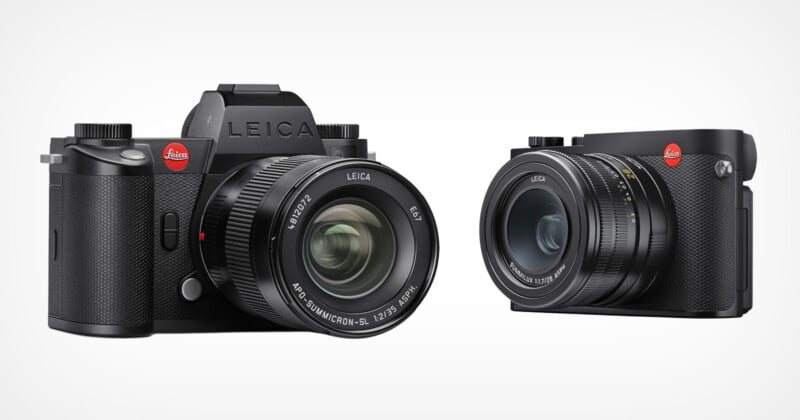
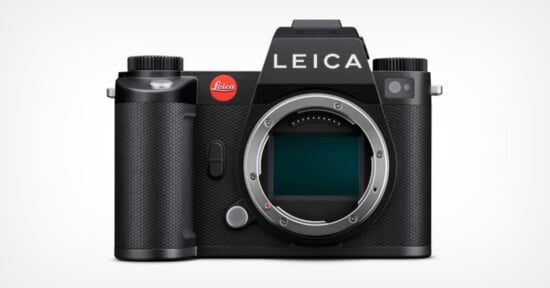
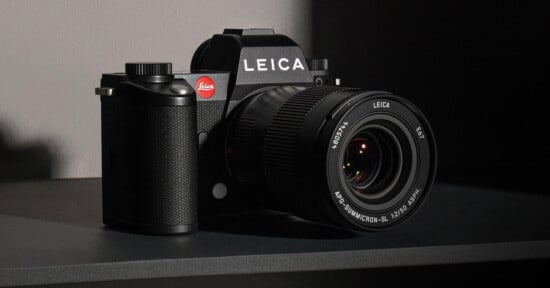
Leica has announced substantial updates to both the SL3 and the Q3 family of cameras with what it bills as “comprehensive enhancements,” specifically enabling a more precise, faster, and more intuitive shooting experience for photos and video recording.
Leica SL3 Firmware Update
Firmware version 4.0.0 for the Leica SL3 and SL3-S promises a bevy of improvements, most notably to autofocus performance. Firstly, the tracking algorithm can now automatically adjust the size and shape of the focus field during subject tracking, resulting in what Leica says is a more stable and reliable experience over extended periods.
Additionally, automatic focusing on human faces (eyes and faces) has been “significantly improved” through AI-assisted models. The autofocus menu has also been revised and simplified. Multi-Field and Spot were combined into one menu (Zone / Multi-Field and Field / Spot). A new AF Acquisition menu is now available in both the FN list and the Control Center, and expanded subject recognition has been added to support humans (eye/face/body) and animals, including birds, dogs, wolves, cats, and big cats.
Beyond autofocus improvements, Version 4.0.0 also adjusts the Leica Looks menu, and a new “Intensity” setting option has been added.
Monitor refresh rate can be toggled between 30 fps and 60 fps. Selecting the lower frame rate reduces power consumption in Live View mode.
The SL3 also gains a multi-shot mode, allowing photographers to shoot up to 241 megapixel images that are created from a set of photos. Leica has also added more video formats with additional, lower bit rates. It also supports aspect ratios of 4:3 (anamorphic) and 3:2. When using an anamorphic lens, the camera can now de-squeeze the view during playback as long as they fall into the following de-squeeze factors: 1.25, 1.3, 1.33, 1.5, 1.6, 1.65, 1.8, 1.85, 2.0.
These new features are joined by the following list of bug fixes and general improvements:
- The behavior of the Auto ISO display in Live View and the Control Center when using a flash was revised. – Previously, the camera sometimes displayed incorrect ISO values in flash mode, since the actual ISO value is only determined during the pre-flash. With the update, the following behavior applies:
- If a flash is connected and required for the shot, the Auto ISO value remains hidden in Live View and the Control Center.
- If a flash is connected but not ready or not required, a preview value is displayed.
- If no flash is connected, the Auto ISO value is displayed as usual.
- The AF profile labels (DE/EN) have been adjusted for clearer and more consistent terminology.
- Change to the default flash setting: The default for Flash mode is now On instead of Auto
- RED – EU Cybersecurity Requirements: When updating from version 3.1.1 or earlier, the camera must be re-paired with the app.
- Default settings adjusted in Control Center: AF Detection is now enabled by default.
- Faster Start Time (after extended inactivity): The camera starts up significantly faster.
- When inserting an aged or low-performance battery, a warning message now appears indicating reduced battery condition.
- The icon for active Perspective Control is now displayed correctly in Review mode.
- The warning message regarding limited functionality when using a BP-SCL4 battery was revised. The message can now be disabled via the option “Don’t show again”. After eight weeks, the reminder automatically reappears to indicate the battery condition. The message is displayed only when the camera is switched on, not when waking from standby. The setting is restored to default after a camera reset.
- Starting a video recording no longer cancels a previously set autofocus lock. The focus setting is therefore maintained during the transition from photo to video mode.
- The menu items File Format and Compression were consolidated and are now available via the single menu item (File Format).
- Improved display of grayed-out settings: Current values will now always be shown in Live View and in the menu.
Leica Q3 Family Firmware Update
The entire Q3 family is getting updated to Version 4.0.0, too, although the specifics vary between the Q3, Q3 43, and Q3 Monochrom. What is shared is the promise of a completely revised user interface that is “inspired by the highly acclaimed SL3 interface,” which includes redesigned icons, an optimized structure, faster navigation, and enhanced touch functionality.
Firstly, the Q3 and Q3 43 get a list of completely new features. Since these cameras feature Leica’s most complete autofocus system (the Q3 Monochrom only has contrast-based autofocus), they are getting a boost. The two cameras now benefit from the same algorithm being delivered to the SL3 series and promise that the automatic focusing on human features (like the face and eyes) has been significantly improved through AI-assisted models. Just like in the SL3 series, the tracking algorithm automatically adjusts the size and shape of the focus field during subject tracking, which Leica says results in more stable and reliable performance over extended periods of time.
Additionally, both cameras’ AF mode has been improved, and the menu structure has been simplified. Multi-Field and Spot were combined into one menu (Zone / Multi-Field and Field / Spot). A new AF Acquisition menu is now available in both the FN list and the Control Center, and expanded subject recognition has been added to support humans (eye/face/body) and animals, including birds, dogs, wolves, cats, and big cats.
There is now a quick selection for digital zoom levels, and favorite focal lengths can be set and quickly recalled via a function button. Video profiles have also been integrated, and the menu structure has changed to suit the new Leica user interface. All video modes can now be scrolled through and selected directly.
The design of Live View, Control Center, and Menu has been updated, and the menu is now fully controllable via touch, too. Some menu items were rearranged or consolidated (e.g., Leica Looks, Display Settings) as a result, including the Leica Looks menu, which has a new Intensity setting. There is also a new Battery Condition menu. Additionally, vertical fans rejoice, as the info bar displays in Live View rotates with the camera.
Both the Q3 and Q3 43 also get what Leica calls “improved L-log video quality” with optimized color rendering and more natural skin tones.
That’s it for the updates that are specific to the Q3 and Q3 43, but all three cameras gain the following:
- Improved connection to the Leica FOTOS app with faster media loading and searches
- A simultaneous use of the WLAN connection and a USB microphone is now possible.
- RED – EU Cybersecurity Requirements: When updating from version 3.1.1 or earlier, the camera must be re-paired with the app.
- Default settings adjusted in Control Center: AF Detection is now enabled by default.
- Improved enlargement function in Review mode. When enlarging the image via the dial or the function button in Review mode, the zoom now automatically centers on the AF position. The AF frame will not be displayed. A double-tap on the display zooms into the tapped area. If no AF position is known, magnification begins at the center of the image, and then the last used position will be stored.
- Change to the default flash setting: The default for Flash mode is now On instead of Auto
- Improved L-Log video quality with improved noise behavior
- Standardized Control Center icon position: A single connection icon is displayed depending on priority (Bluetooth/Wi-Fi/Cable)
- Automatic settings restore after firmware update. When updating from version 3.1.1 or higher to firmware 4.0.0, the camera automatically saves
all current settings and user profiles and restores them after the update. Language, date, and time remain unchanged — no new input is required. - Improved display of grayed-out settings: Current values will now always be shown in Live View and in the menu.
- Faster Start Time (after extended inactivity): The camera starts up significantly faster.
- New Control Center icons and basic settings.
- The menu items File Format and Compression were consolidated
The firmware updates for the SL3 series and the Q3 family are free and available starting today. They can be installed via the Leica FOTOS App or an SD card.
Image credits: Leica